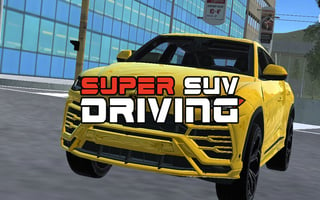
Urus City Driver drops you into the driver’s seat of a powerful sports SUV and lets you loose inside a wide, open city map set in bright morning light. This is not a tight lap-based racing game. It is a free-roam driving experience where skill, control, and smart use of speed matter more than memorising tracks. You are free to explore, drift through corners, hit speed zones, and complete driving challenges scattered across the city.
From the moment you start, the game focuses on giving you a strong sense of control. The SUV feels heavy but responsive, rewarding smooth steering and well-timed braking. Traffic fills the roads, creating pressure to react quickly and use nitro at the right moment. Every drift corner, stunt ramp, and speed trigger is placed to test how confidently you handle the car rather than how fast you mash the keys.
One of the standout features is the ability to customise and upgrade your vehicle. As you progress, you can improve performance and tweak the SUV to better match your driving style. Whether you prefer clean high-speed runs or controlled drifts through tight streets, the upgrades help shape how the car behaves on the road.
The game also adds a unique twist with character-based missions where you take your dog along for the ride. These challenges shift the focus from pure driving to exploration and movement, adding variety without breaking the flow of the game. It makes the city feel more alive and gives you something different to do between high-speed runs.
How to Play
Urus City Driver is built around free driving and mission-based challenges. You start inside the city with full freedom to roam. Drive through traffic, locate mission markers, and trigger speed, stunt, and drift zones placed around the map.
Some challenges focus on hitting high speeds using nitro while maintaining control. Others reward clean drifts or precise stunt landings. You are not forced into a strict order. You can explore first, practice handling, or jump straight into challenges.
Completing challenges helps you improve your skills and makes the city easier to navigate at higher speeds. The more comfortable you become with braking, steering, and nitro timing, the more satisfying each run feels.
Controls
Car Controls (Keyboard)
- Arrow Keys or W, A, S, D: Drive, steer, and brake
- C: Change camera view
- F: Activate nitro boost
Character Controls
- Arrow Keys or W, A, S, D: Move the character
- Mouse Orbit: Look around the environment
There are no touch controls in this version. The game is designed for keyboard and mouse play on desktop browsers.
Tips and Strategies
1. Do not overuse nitro in traffic-heavy areas. Save it for long straight roads where you have clear visibility.
2. Brake lightly before drifting. Sharp braking kills momentum and makes the SUV harder to control.
3. Switch camera views depending on the challenge. A wider view helps with traffic, while a closer view helps with drifting precision.
4. Learn the city layout early. Knowing where ramps and wide roads are located makes challenges easier.
5. During stunt runs, focus on landing straight. Clean landings maintain speed and prevent spin-outs.
6. When completing drift zones, smooth steering beats aggressive turning every time.
Most players lose control early because they treat Urus City Driver like a pure arcade racer. The SUV has weight, and it punishes rushed inputs. Slamming the brakes or jerking the steering wheel makes the car slide unpredictably, especially at higher speeds. The players who do well are the ones who slow down just a little before corners and let the car settle.
Another common mistake is wasting nitro in busy streets. It feels powerful, but using it without space almost always leads to crashes. Good players wait for long roads and then boost smoothly rather than constantly. The game becomes much easier once you respect the car’s weight and plan your speed instead of forcing it.
Similar Games
FAQs
Is Urus City Driver free to play?
Yes, the game is completely free to play online.
Can I play Urus City Driver on mobile?
This game is designed for desktop browsers with keyboard and mouse controls.
Does the game have missions?
Yes, there are driving challenges and special character missions spread across the city.
Is this a realistic driving simulator?
It is arcade-style but with weighty handling that rewards careful control.
Can I change the camera view?
Yes, press C to switch between different camera angles while driving.